Debit card FAQs

Debit card setup

Activating your Wells Fargo debit card is easy. To get started, choose from the following options: 

Note: PIN may be required when activating your debit card. Use your current PIN. If you don't already have a PIN, it would have been mailed to you separately from your card. 

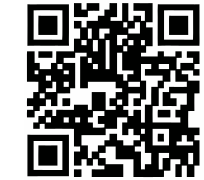
  • Scan code with your mobile phone.

  • Activate your card online or from the Wells Fargo Mobile® app.
  • Call Wells Fargo customer service at 1-877-294-6933.
  • If you're on the go, activate your card at any Wells Fargo ATM using your PIN, which was mailed separately from your card. Just insert your card and follow the instructions on the screen. 

Once you’ve activated the card online or by phone, peel off the sticker and begin using your card right away. If activating using the ATM, remove the sticker before using the ATM. Destroy your old card and start using your new card.

You will receive a new or replacement card within 5 to 7 calendar days. You can track your debit card from your Wells Fargo Mobile® app on My Tracker.

For new cards, if you didn't select a PIN when you requested your new card, you can expect to receive a system-generated PIN in the mail a couple of days after you receive your card.

For replacement cards, you can use your current PIN.

You can bring your card and identification to your local Wells Fargo branch to reset your PIN and select a new one. Or, you can call the number on the back of your card to speak with a banker and a new system-generated PIN will be mailed to you.

If you know your current card PIN and want to change it, you have three options:

  1. Sign on to Wells Fargo Online® or your Wells Fargo Mobile® app, select Change your PIN from the Cards menu, and follow the directions.
  2. Visit a Wells Fargo ATM or branch; just be sure to have your card and identification with you. 
  3. Call the phone number on the back of your card and follow the automated customer service options.

Lost, stolen, or damaged cards

Sign on to Wells Fargo Online® or your Wells Fargo Mobile® app to request a replacement card and it will arrive in 5 to 7 calendar days. 

Or call us at 1-800-TO-WELLS (1-800-869-3557) for personal debit or ATM cards. 

For business debit or ATM cards call 1-800-CALL-WELLS (1-800-225-5935).

For lost or stolen cards, the replacement will have the same PIN but a new number, expiration date, and security code. Once you receive it, update your card info for any recurring payments. 

For damaged cards, the replacement card will have the same account number but a new expiration date and security code. Once you receive it, confirm your new card info with companies that charge your card automatically. Some may already have updated info through account update services. 

Note: If you lose your card while traveling outside the United States, you have two options: 

  1. Call us collect, then follow the voice instructions: 
    1. If you lose your personal card: 925-825-7600
    2. If you lose your business card: 916-480-3190
    3. Find international access codes to use to contact our toll-free customer service numbers 
  2. Sign on to your Wells Fargo Mobile® app to request a replacement card. You can request that your replacement card be mailed to your travel destination.

Remember, your card comes with Zero Liability protection at no extra cost, which means you will be reimbursed for promptly reported unauthorized card transactions, subject to certain conditions.

It usually takes 5 to 7 calendar days to receive your replacement card. You can track your debit card from your Wells Fargo Mobile® app on My Tracker.

If you think that your card should have arrived by now, sign on to Wells Fargo Online® or your Wells Fargo Mobile®  app to request a replacement or call us:

Personal debit or ATM cards
1-800-TO-WELLS (1-800-869-3557)

Business debit or ATM cards
1-800-CALL-WELLS (1-800-225-5935)

If you have misplaced your card and need time to find it, you can temporarily turn your card off to help prevent unauthorized card transactions. Previously authorized recurring payments, credits, refunds, and reversals may be approved while your card is turned off.

When you find your card, you can turn it back on. Sign on to Wells Fargo Online or your Wells Fargo Mobile® app to access Turn Card On or Off.

Using my debit card

You can see the fees associated with your card on your Consumer Account Disclosures (PDF) or Business Account Disclosures (PDF).

You can link your debit or ATM card to up to 22 accounts:

  • 5 checking
  • 5 savings
  • 5 money market5 credit cards
  • 2 lines of credit (home equity lines only. Exception: Any home equity line of credit secured by property in New York or Texas are prohibited for linkage by state law).

To see your linked accounts:

  1. Sign on to Wells Fargo Online®.
  2. View the Card Details link for your card.
  3. Find which accounts are linked to your card.

There is a daily maximum limit on the dollar amount of the purchases you can make with your debit or ATM card. Your card also has a maximum limit on the dollar amount of cash withdrawals you can make. Purchases and ATM withdrawals are subject to the available balance in your account. 

We provide you with your daily ATM withdrawal and purchase limits when you receive your card. You can confirm or manage your card's daily limits by signing on to Wells Fargo Online or the Wells Fargo Mobile® app, or calling the number on the back of your card.

There are three ways to change your dollar limits:

  1. Sign on to the Manage Debit Card Limits feature in the Wells Fargo Mobile® app or on Wells Fargo Online® to view or adjust your dollar limits.
  2. Call the phone number on the back of your card and follow the automated customer service options.
  3. Talk to a banker at a Wells Fargo branch.

Yes, you can use your debit card while traveling outside the U.S.  See your applicable Wells Fargo account agreement and your card terms and conditions to see the fees associated with using your card internationally.

With our enhanced security technology, you no longer need to let us know when you plan to travel. Make sure your contact information is up to date so we can let you know if we find any unusual activity.

Make sure your card is ready to travel:

  • Confirm your contact information is up to date so we can contact you if we detect unusual activity.
  • Visit Turn Card On or Off to confirm international usage is turned on for your debit card if you’ll be traveling outside of the United States.
  • Know your card's daily limits for purchases and ATM cash withdrawals. You can manage debit card limits in the Wells Fargo Mobile® app and on Wells Fargo Online®.
  • Ensure your card has a four digit PIN so you can access foreign ATMs.
We offer a braille card for customers who read braille. The card will have raised braille characters.

Purchases, payments, and disputes

You can make one-time and recurring payments using your debit card. When you pay with your card, you can schedule a payment on a date you select. Contact your service providers to schedule one-time or recurring payments using your debit card and your card information.

You can contact your service provider directly to schedule, cancel, or change a one-time or recurring payment. You’ll need your billing account and your debit card information to set up payments. View your card terms and conditions for additional important information about handling preauthorized payments.

Wells Fargo cannot post your debit card transaction until the merchant submits the transaction to us for payment. A few things to keep in mind:

  • Generally, debit card transactions post within 1 to 3 days from when you make the purchase. However, the timing of when a debit card transaction will post can vary from the very same day to several weeks later. 
  • In rare circumstances, such as using your debit card online to buy an item that is back ordered, the merchant may submit the transaction up to several weeks later.
  • Because of this, it's important you keep track of your available account balance and pending card transactions, scheduled bill payments, checks written, and more, to ensure that you have adequate funds in your account to cover pending items.

Call the number on the back of your card and we'll investigate it. Refer to the appropriate card terms and conditions for details regarding your responsibility to notify us of disputes within specific time frames.

We try to resolve disputes as quickly as possible, but some may take 45 to 90 calendar days to resolve. We’ll keep you updated during the investigation, and you can check the status by signing on to Wells Fargo Online.

Refund timing varies by merchant and processing method, but most refunds are credited to your debit card within a few business days after the merchant issues the refund.

We generally release the authorization hold within 5 calendar days from the time of authorization or until the transaction is paid from your account. However, for certain types of transactions the hold can be longer.

Customizing my card

To customize your card, simply sign on to Card Design Studio® and follow the steps to upload, adjust, and submit your image.

Card Design Studio is a service that allows you to customize your Wells Fargo debit card or credit card with your own photo, logo, or an image from our library. You can even use your family portrait, your child’s artwork, or your favorite pet photo to create a card design that reflects you or your business.

To get started, visit Card Design Studio. If your card is eligible, it will appear on the Card Design Studio page. Before uploading your image, review the image guidelines. Copyrighted images are not allowed.

There’s no fee to customize your card.

If your card is available to customize, it will appear on the Card Design Studio service page. You customize if:

  • You have an eligible and activated debit card. (Cards not eligible: The Private Bank Card, Business Deposit Card, and ATM cards.)
  • You have an eligible and activated credit card. (Cards not eligible: AutographSM, Active Cash®, Reflect®, Cash Wise®, The Private Bank, and Wells Fargo Advisor credit cards.)
  • Your account and card are active and not restricted, blocked, suspended, or canceled.
  • You can access your cards through the Wells Fargo Mobile® app or online banking.  

Simply sign on to Card Design Studio.

Personal credit cards with multiple cardholders

Each cardholder can choose their own card design. When any credit cardholder updates their design, all credit cards on the account are automatically reissued with new expiration dates. However, each cardholder keeps their own individual design.

Business cardholders

Employees and business owners may customize their own cards.

Some cards are not eligible for customization.

Credit cards not eligible for customization: Autograph, Active Cash, Reflect, The Private Bank, Wells Fargo Advisor, and Cash Wise

Debit cards not eligible for customization: The Private Bank Card, Business Deposit Card, and ATM cards

Your card may be temporarily unavailable if its status is In Progress in Card Design Studio. Common reasons include:

  • You recently submitted a customization request.
  • Your card is about to expire. Once your new card is issued and activated, it will become eligible again.
  • Your card was recently lost or stolen.
  • You recently opened your account or activated a new card.

If you recently customized one or more cards on your account, a waiting period may apply before additional customization requests can be submitted. 

For personal cards:

  • Choose from our approved library or upload your own.

For business cards:

  • Choose from our approved library or upload your own.
  • Add your business logo to one of our templates.

Note: Design options may vary by product. Because of differences in computer monitors and image quality, the design preview may differ from the final printed card. 

You may choose an image from our library or upload your own photo or business logo. Most uploaded images can be cropped, scaled, rotated, or flipped within Card Design Studio.

All uploaded images must meet the following requirements:

  • File format: .jpeg, .jpg, .gif, .png, or .bmp
  • File size: Under 10MB
  • Minimum pixel dimensions: 840 x 840 pixels
  • Minimum pixel dimensions for business logos: At least 400 x 400 pixels

We can’t accept images that include:

  • Third-party trademarks, logos, copyrighted materials, advertising, or branding.
  • The name, image, or likeness of any celebrities, musicians, athletes, entertainers, or other public figures.
  • Telephone numbers, URLs, account numbers, addresses, or email addresses.
  • Internet images, like memes, cartoons, or artwork, that you didn’t create or don’t have permission from the copyright owner to use.
  • Violent, offensive, antisocial, or death imagery — including any other material that could be perceived as violent.
  • Provocative, lewd, or sexual content — including pictures of nude, seminude, or partially clothed people of any age.
  • Dead animals, including game animals.
  • Political or religious imagery or text.
  • Symbols representing money or other content that might confuse the merchant or result in card fraud.
  • Socially unacceptable or discriminatory behavior or signs — including images related to gangs, hatred, drug or alcohol abuse, graffiti, profanity, or other obscene behavior or gestures.
  • Images of flags unless they’re one of the flag-related images from our image library.
  • Photos altered using emojis or other images from third-party phone app processes or features, including lenses and filters.

On a PC, right-click the file and select Properties.

On a Mac, select the file and choose Get Info.

Options vary depending on your operating system.

You can preview your image during customization. Once approved, Wells Fargo will retain your image for as long as it remains on your card. If you remove your image or select a new one, your original image will no longer be available. Replacement or reissued cards will display your current customization.

You have 30 minutes to submit your customization. You’ll see a 5-minute warning before the session times out. If the session ends before you select Submit and receive a confirmation, you’ll need to start over.

We'll review your image and email you within approximately 2 business days. Once approved, your new card should arrive within 5 to 7 days.

You’ll receive an email inviting you to submit a different image. Most issues involve trademarks or copyright restrictions.

To return to the standard Wells Fargo design and remove customization from your:

  • Personal credit card: Call 1-800-642-4720.
  • Debit card: Go to Card Design Studio and select Get standard card. You can also visit any Wells Fargo branch.
  • Business card: Call 1-800-225-5935.

Updating your customization:
You can update your customization at any time. Eligible cards will appear on the Card Design Studio page. A new card needs to be received and activated before customizing it again. Credit card customers will need to wait 30 days before customizing again.

No, once you replace or remove an image, the previous version cannot be restored.

If a personal credit card with multiple cardholders is customized, all cards on the account will be reissued with new expiration dates. The other cardholders will retain their own individual card designs.

Report it immediately:

  • Through the mobile app by searching "lost card"
  • Online at wellsfargo.com/replacemycard
  • By phone:
    • Personal credit cards: 1-800-642-4720
    • Personal debit cards: 1-800-TO-WELLS (1-800-869-3557)
    • Business cards: 1-800-CALL-WELLS (1-800-225-5935)
If your card was already customized, your replacement card will come with the same image.   
  • Personal credit cards: 1-800-642-4720
  • Personal debit cards: 1-800-TO-WELLS (1-800-869-3557)
  • Business cards: 1-800-CALL-WELLS (1-800-225-5935)
  • Online photo request process: 1-800-956-4442

Tracking purchases and alerts

  • Online and mobile banking provide you with access to your card activity and account information anytime, almost anywhere. You can view your card purchases, payments, ATM usage, and deposits. 
  • Debit card alerts are available to stay informed of your card activity by enrolling in Wells Fargo Online or your Wells Fargo Mobile® app and setting up alerts to track your purchases and ATM withdrawals.

Sign on to Wells Fargo Online or your Wells Fargo Mobile® app and access Manage Alerts. Select your debit card from the account list and choose your alerts and delivery preferences – email, push notification, or text. You can add new alerts or change your notification preferences at your convenience.

Yes, we regularly review accounts for unusual activity and may send you an alert asking you to verify a particular transaction. You don't need to enroll to receive this alert.

We may also notify you about changes to your debit card such as when your debit card has been added to a digital wallet or when your card is about to expire and you should confirm the shipping address for the new card.

If your card number changes as a result of ordering a replacement card, we’ll do our best to automatically transfer any existing card activity alerts subscriptions to your new card number. To verify your current alerts subscription at any time, sign on to Wells Fargo Online® or your Wells Fargo Mobile® app and go to Manage Alerts.

No, this is a no-fee service to all Wells Fargo Online® customers. However, your mobile carrier's message and data rates may apply.

Push notifications are for Wells Fargo Online® or Wells Fargo Mobile® app customers who have an Apple® or AndroidTM device (phone or tablet) and the Wells Fargo Mobile® app installed. Signing up for push notifications, allows you to receive "push" versions of some online banking alerts or one-time passcodes for authentication purposes.

Download and update the latest version of the Wells Fargo Mobile® app. iOS users need to launch the app and select Allow. Android users automatically have push notifications enabled.

If you have the Wells Fargo Mobile® app installed, select Menu in the bottom bar, tap your name or Welcome at the top of the page, and select Manage Banking Alerts to set up notifications. In addition, you may have to select Push Notifications and slide to On.

Security, fraud, and identity protection

Wells Fargo helps you to protect your cards and accounts with:

  • Zero Liability protection: Your Wells Fargo Debit Card comes with Zero Liability protection at no extra cost. You’ll be reimbursed for promptly reported unauthorized card transactions. Visit the Security Center for resources that may help reduce your risk of fraud and identity theft.
  • 24/7 fraud monitoring: We regularly review your accounts for unusual activity. If you receive an alert from us for potential suspicious card activity, review and respond promptly to verify the transactions. You do not need to enroll to receive this alert.
  • Alerts: Stay informed of your card activity by enrolling in Wells Fargo Online® or the Wells Fargo Mobile® app, and setting up debit card alerts to track card purchases and ATM withdrawals.

If you find a suspicious card transaction, call the number on the back of your card immediately. Your card comes with Zero Liability protection which means you will be reimbursed for promptly reported unauthorized card transactions, subject to certain conditions. We will investigate your claim. 

Refer to the appropriate card terms and conditions for details regarding your responsibility to notify us of disputes within specific time frames. After reporting the suspicious transaction to us, you can track the status online by signing on and going to Dispute a Transaction under Accounts.

Contact us immediately at 1-800-869-3557. Find more about how to report identity theft. You can also learn more about keeping your account secure at the Security Center.

Note: PIN may be required when activating your debit card. Use your current PIN. If you don't already have a PIN, it would have been mailed to you separately from your card.

  • Activate the replacement card right away. Destroy your old card and begin using your new card.
  • Notify merchants that directly bill your card about your new card number, new expiration date, and security code to ensure your payments continue as expected.
  • Monitor your account for any transactions you did not authorize and report them promptly to Wells Fargo to help protect your account.
  • You can add your card to a digital wallet to pay in stores, in apps, and online. When you pay with a Wells Fargo-supported digital wallet, your actual card number is replaced with a unique digital card number, which means businesses do not see or store your full card number. Read our Guide to digital wallets to learn more.

Digital wallet access

You need a mobile device (smartphone, smartwatch, tablet) with NFC (Near Field Communication) capability to enroll in a Wells Fargo-supported digital wallet. Currently, Wells Fargo supports Apple Pay®, Garmin PayTM, Google PayTM, and Samsung Pay. For more information, visit Guide to digital wallets to see how to add your cards with the Wells Fargo Mobile® app.

The security of your account information is a top priority. When you pay with a Wells Fargo-supported digital wallet, your actual card number is replaced with a unique digital card number, which means businesses do not see or store your full card number.

You can use a digital wallet instead of your physical Wells Fargo Debit Card to access Wells Fargo ATMs and participating non-Wells Fargo ATMs. Simply access your digital wallet and tap your mobile device near the Contactless Symbol on the ATM.

To use your mobile device at a Wells Fargo ATM:

  • Access your mobile device's digital wallet (with a PIN, pattern lock, fingerprint, or iris/face scan).
  • Hold your mobile device near the Contactless Symbol on the ATM.
  • Enter your card's PIN into the ATM when prompted, and then select and complete your transaction.

If your device is lost or stolen, we recommend remotely disabling the cards from your digital wallet. We also recommend notifying your mobile carrier and calling the Wells Fargo number on the back of your card promptly. Mention that you added your card to your digital wallet so we can disable your card for use with your digital wallet. 

If you locate your device, you’ll need to add your card back to your digital wallet before making any purchases.

ATMs and cash access

You can get cash, transfer funds, check your balance, make deposits, and more at 10,000+ Wells Fargo ATMs.

At non-Wells Fargo ATMs that display the Visa® or Plus® logos, you can withdraw cash, check balances, and transfer funds between your primary linked checking and savings accounts (depending on what the ATM operator supports).

Yes, you can use a contactless debit card plus your PIN to tap for access at most Wells Fargo ATMs.

Or, you can insert your contactless debit card anytime for access at Wells Fargo and non-Wells Fargo ATMs that display the Visa® or Plus® logos.

Card controls

You may want to turn off your card if you can't find it.

Turning off your card will prevent most new transactions, such as purchases, ATM activity, and digital card number transactions, from being approved.

Any credits, refunds, reversals, or transactions flagged by the merchant as being previously authorized recurring payments may still process, even if your card is off.

Your card will stay off until you turn it back on.

For debit cards, turning off your card will not stop transactions using other cards linked to your deposit account. 

For credit cards, turning off your card will turn off all cards associated with your credit card account.

Transactions that are already pending when your card is turned off will not be affected.

Debit and ATM Cards
No, card servicing requests, including limit increases and PIN changes, are restricted while your card is off.

Contact us for assistance:

  • Personal debit card: 1-800-869-3557
  • Business debit card: 1-800-225-5935

Credit Cards
Yes, turning your credit card off does not affect your credit card account status. Credit cards can be reissued, closed, or activated while your account is turned off.

Currently, the international usage control is only available for debit cards.

When international usage is turned off, transactions you make using your card or digital card number in your digital wallet at physical stores or ATMs outside the 50 United States and the District of Columbia will not be processed. Transactions made with international merchants via phone call, mail, or online may still be processed. Turning off international usage will not affect transactions you make at physical stores or ATMs within the 50 United States and the District of Columbia.

While your Wells Fargo Debit or ATM Card is turned off, most types of new card transactions, including purchases, ATM activity, and digital card number transactions, will not be processed. This includes transactions made outside of the 50 United States and the District of Columbia. Previously authorized recurring payments may be approved when the card is turned off.

No, this option is currently unavailable.

No, while your card is off, any transactions attempted using your associated digital card numbers will not be processed.

In most cases, digital cards numbers can be suspended as well as reactivated if the suspension was requested through Wells Fargo and not the digital wallet provider.

If your digital card number is suspended, you can't use it for any transactions. You may want to suspend your digital card number if you've temporarily misplaced the device that holds your digital wallet and you need time to look for it.

If you want to reactivate your digital card number, you'll need to use the same method you used to suspend it. For example, if you suspended your digital card number through your device service provider (e.g., Apple®, Samsung), you'll need to reactivate it the same way.

If you contacted Wells Fargo to suspend your digital card number, use Card controls to reactivate it.

When your digital card number is reactivated, you can resume using your digital card number for transactions.

Business debit cards

Your Wells Fargo Business debit card comes with Visa services to help protect your purchases.

  • Visa Purchase Security: If eligible items you buy with your business debit card are lost, stolen, or accidentally damaged, they'll be replaced or repaired at no charge to you.
  • Visa Extended Warranty Protection: You can extend manufacturer's warranties, up to one additional year, on items you purchase with your card.

For more information, see Your Guide to Card Benefits for Visa Business Card (PDF).

Yes, we offer a business deposit card which can be issued to employees who are not authorized signers on the business accounts. Business deposit cards can’t be issued to sole proprietors.

With this card, your employee can make deposits at Wells Fargo ATMs, but not perform any other ATM transactions. When the business deposit card is used to make an ATM deposit, account balances are neither displayed on the ATM screen nor printed on the ATM receipt. Neither the card nor the PIN provides the ability to transact online or at the Wells Fargo National Business Banking Center. A business deposit card can be used as part of customer authentication procedures to perform a deposit in a Wells Fargo branch. 

Business deposit cards can only be used at Wells Fargo ATMs.

My Wells Fargo Deals

My Wells Fargo Deals is an easy way to shop and earn cash back as an account credit. Through My Wells Fargo Deals, you get access to personalized deals from a variety of merchants based on past spending with your eligible Wells Fargo cards. Participation is subject to the program's Terms and Conditions (PDF).

Follow these easy steps to shop and earn cash back to your accounts:

  • Step 1: Activate - View My Wells Fargo Deals on your Account Summary or Account Details pages in the Wells Fargo Mobile® app or Wells Fargo Online®. Select a deal to activate it. This will make the deal eligible to earn cash back. Once activated, the deal terms (available in English only) will display for your review.
  • Step 2: Shop - Using an eligible Wells Fargo debit or credit card, shop and fulfill the terms of the merchant's offer you’ve selected.
  • Step 3: Earn - After you've shopped, you’ll receive cash back as a credit to your checking account or credit card account.

No, there's no fee to take advantage of the deals.

The cash back you earn for each deal will be credited within 60 days of the qualifying transaction posting to your account. See the deal terms for more details on a deal or the Terms and Conditions (PDF) for more details on the program.

To get a link to download the app to your mobile device, text 93557 with the message IPH for Apple or AND for Android. By texting IPH or AND to 93557, you agree to receive a one-time text message from Wells Fargo with a link to download the Wells Fargo Mobile® app. Availability may be affected by your mobile carrier's coverage area. Your mobile carrier's message and data rates may apply. Please refer to the Supported Browsers and Wells Fargo Mobile® app Requirements page for mobile OS details.

Availability may be affected by your mobile carrier's coverage area. Your mobile carrier's message and data rates may apply.

You won't be held responsible for promptly reported unauthorized card transactions, subject to certain conditions. For more information, please review the applicable Wells Fargo Debit and ATM Card Terms and Conditions.

Turning off your debit card is not a replacement for reporting your card lost or stolen. Contact us immediately if you believe that unauthorized transactions have been made. Turning your card off will not stop card transactions presented as recurring transactions or transactions using other cards linked to your deposit account. Posting refunds, reversals, and credit adjustments to your account will continue. Any digital card numbers linked to the card will also be turned off. Availability may be affected by your mobile carrier's coverage area. Your mobile carrier's message and data rates may apply.

Your card’s daily purchase limit is the maximum U.S. dollar amount of purchases (including cash back, if any) that can be authorized each day from your primary linked account, less merchant fees, if any.

Your card’s daily ATM withdrawal limit is the maximum amount of cash you can withdraw each day from any combination of accessible accounts using your card, less any fees charged by the non-Wells Fargo ATM operator or third party, if applicable.

Available balance is the most current record we have about the funds that are available for your use or withdrawal. It includes all deposits and withdrawals that have been posted to your account, then adjusts for any holds on recent deposits and any pending transactions that are known to the Bank. This balance may not reflect all of your transactions, such as checks you have written or debit card transactions that have been approved but not yet submitted for payment by the merchant.

Must have an eligible debit or ATM card, and ability to change limits is subject to available balance in primary linked account and other factors. For security reasons there may be additional limits on the amount, number, or type of transactions you can make using your card, including the geographic location of the ATM or merchant. For additional information on card limits, please refer to your applicable terms and conditions available on wellsfargo.com/debit-card/terms-and-conditions. Availability may be affected by your mobile carrier's coverage area. Your mobile carrier's message and data rates may apply.

At this time, Wells Fargo cards cannot be used in Cuba or other sanctioned destinations as defined by U.S. Department of Treasury’s Office of Foreign Assets Control (OFAC). Please call the phone number on the back of your card if you have questions.

Wells Fargo reserves the right to accept or reject any artwork, images, or logos. For example, any third-party trademarks, copyrighted materials, or name, image, and likeness of any public figures will not be approved.

Sign-up may be required. Availability may be affected by your mobile carrier's coverage area. Your mobile carrier's message and data rates may apply.

Digital wallets may not be available on all devices. Your mobile carrier's message and data rates may apply.

For a list of compatible Apple Pay devices, see Apple Support.

When attempting to add your Wells Fargo card to Google Pay, your card may be added to your Google Payments account to be used on other Google properties. This could occur even if the process of adding your card to Google Pay is not successful. If you have questions regarding this or Google Pay, visit Google Support. Google Pay is available for select countries and bank partners.

Samsung Pay is only compatible with select cards, carriers, and Samsung devices. See the Samsung Support Page for compatibility information and merchant terminal limitations.

The Contactless Symbol and Contactless Indicator are trademarks owned by and used with permission of EMVCo, LLC.

Digital wallet access is available at Wells Fargo ATMs and participating non-Wells Fargo ATMs for Wells Fargo Debit Cards in digital wallets. Message and data rates may apply. Some ATMs within secure locations may require a physical card for entry.

Certain devices are eligible to enable fingerprint sign-on. If you store multiple fingerprints on your device, including those of additional persons, those persons will also be able to access your Wells Fargo Mobile® app via fingerprint when fingerprint is enabled. Your mobile carrier's message and data rates may apply.

Only select devices are eligible to enable sign-on with facial recognition. If you have an identical twin, we recommend that you use username and password instead of facial recognition to sign on. Your mobile carrier’s message and data rates may apply.

Non-Wells Fargo ATMs are ATMs that are not owned or operated by Wells Fargo or are not prominently branded with the Wells Fargo name and logo. Wells Fargo may charge a fee for each withdrawal transaction made at a non-Wells Fargo ATM. The non-Wells Fargo ATM operator or network may also charge a fee.

The business deposit card and associated PIN can be used to make ATM deposits but no other ATM transactions and can only be linked to deposit accounts. The business deposit card can be issued to an Authorized Signer on the business accounts. It also can be issued to a non-Authorized Signer at the request of an Authorized Signer. The Card PIN cannot be used for authentication for phone or online access. A Business Deposit Card allows the cardholder to be authenticated to perform a deposit at a teller-line in branch as part of customer authentication procedures. Business deposit cards only are able to only receive printed receipts at ATMs. Issuance subject to bank qualifications. See the Business Account Fee and Information Schedule and Business Deposit Account Agreement for additional business account information.

Wells Fargo Bank, N.A. Member FDIC.

DT1-12302027-18-9006656-1.1